
Why can't I log into my product account?Updated 3 months ago
If you're facing difficulties logging into your account to manage your subscription or upcoming order, take the following steps:
DESKTOP:
Go to The 'Pause Life website, select the User Icon in the top right corner, and then select "Supplement Login".
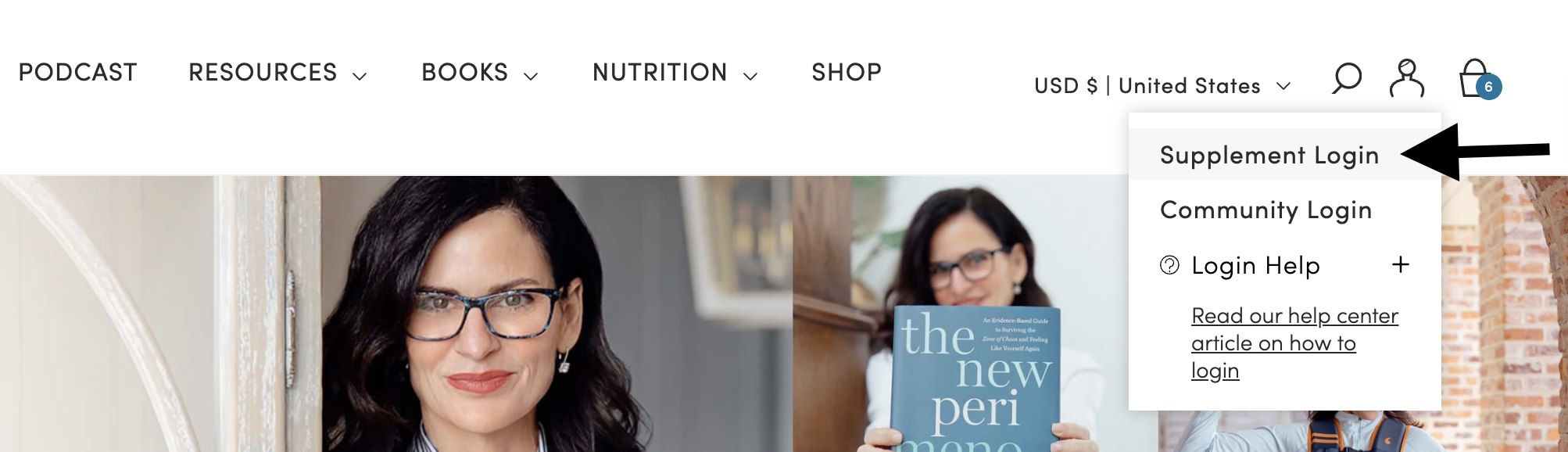
If you have not logged in before, click "Continue with Shop." On the next screen, enter your email address and click "Continue". You will then receive a code to continue to log in.
Check your inbox, including spam/junk folders, for an account invite from The 'Pause Life. This would have been sent to you when you made your first purchase.
If you asked for a password reset link, it will be sent to you by email. You must have activated your account first; otherwise, the password reset link will not work.
If you have placed any previous orders, use the email address associated with that order.
You can then manage your orders, subscriptions, payment methods etc.
ON MOBILE:
Go to The 'Pause Life, select the hamburger (3 lines) on the top left of the screen.
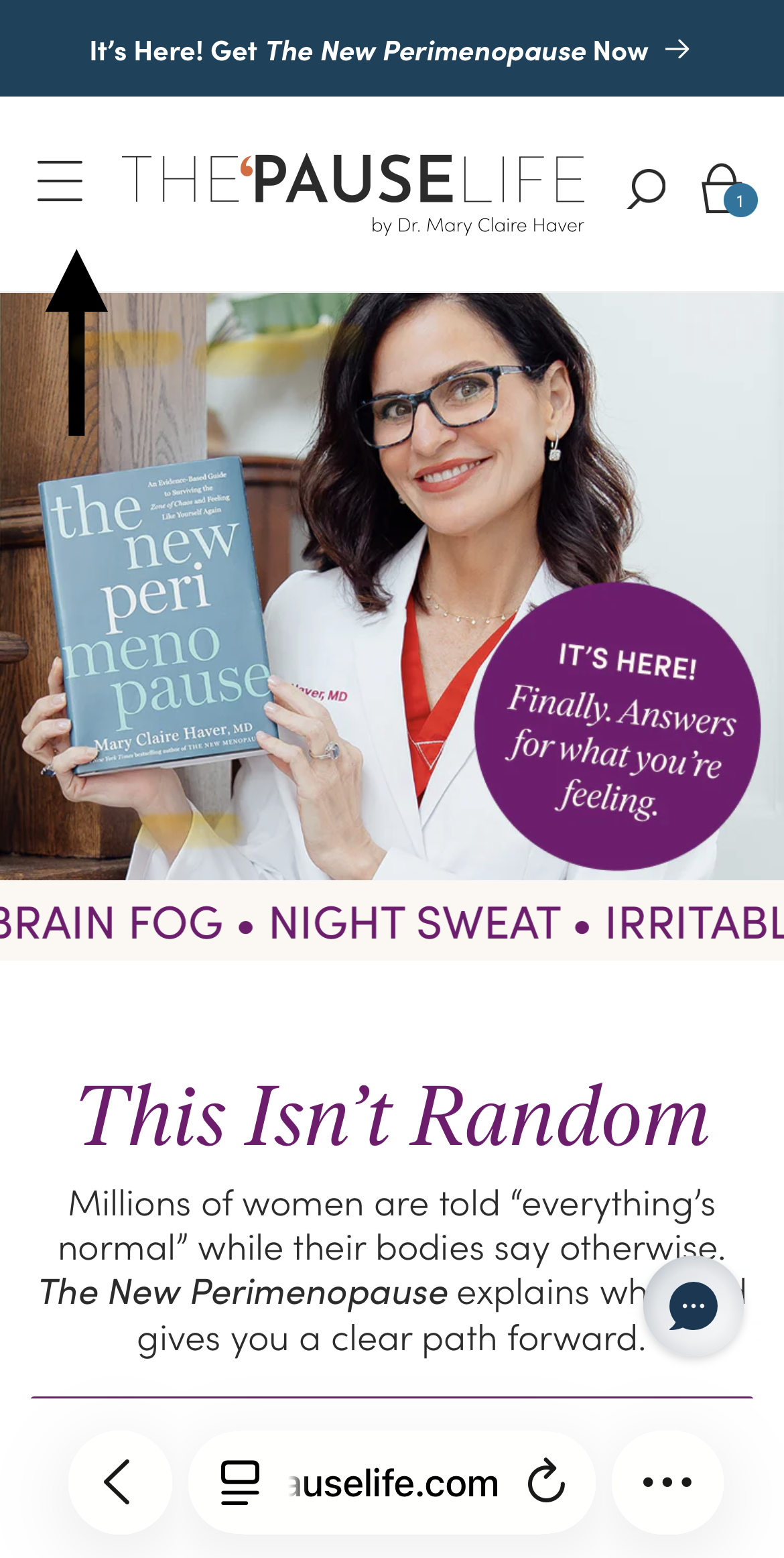
You will then see "Login". Select this, and you can click "Supplement Login".png)
If you have not logged in before, click "Continue with Shop." On the next screen, enter your email address and click "Continue". You will then receive a code to continue to log in.
Check your inbox, including spam/junk folders, for an account invite from The 'Pause Life.
If you asked for a password reset link, it will be sent to you by email. You must have activated your account first; otherwise, the password reset link will not work.
If you have placed any previous orders, use the email address associated with that order.
If you have any difficulty, please contact our Customer Service Team for help.