
How do I update the frequency at which I receive my subscription / autoship?Updated 2 months ago
Follow these steps to update your subscription frequency:
1. Log in to your account using this link
2. Click on "Manage Subscriptions" at the top of the screen
3. You will see all products you are currently subscribed to.
4. Find the product you would like to change the delivery frequency for, and click "Manage".
See the screenshot below (this is not your portal/subscriptions, just an example):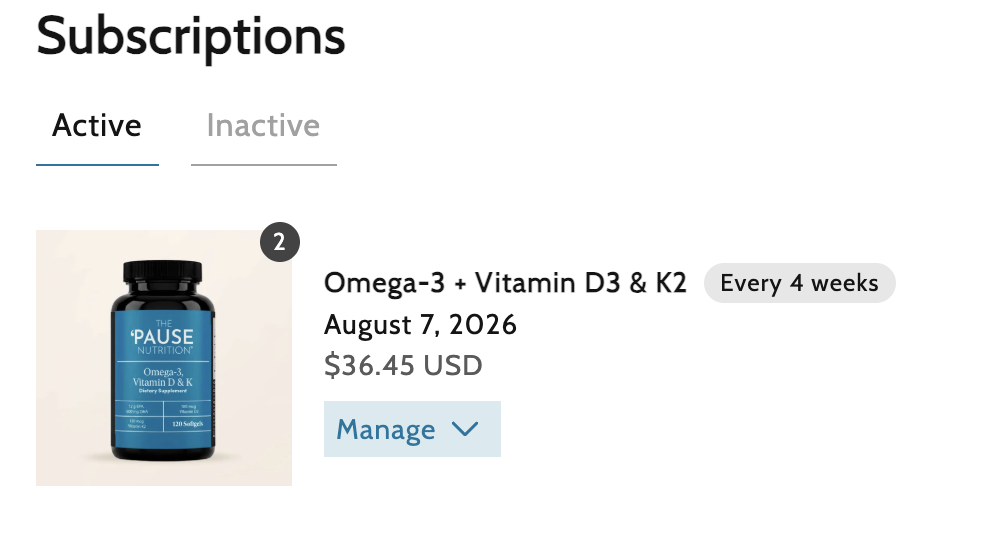
2. Click on "Manage Subscriptions" at the top of the screen
3. You will see all products you are currently subscribed to.
4. Find the product you would like to change the delivery frequency for, and click "Manage".
See the screenshot below (this is not your portal/subscriptions, just an example):
5. Select "Edit" from the dropdown, and you can then adjust the frequency and/or quantity for that specific product:
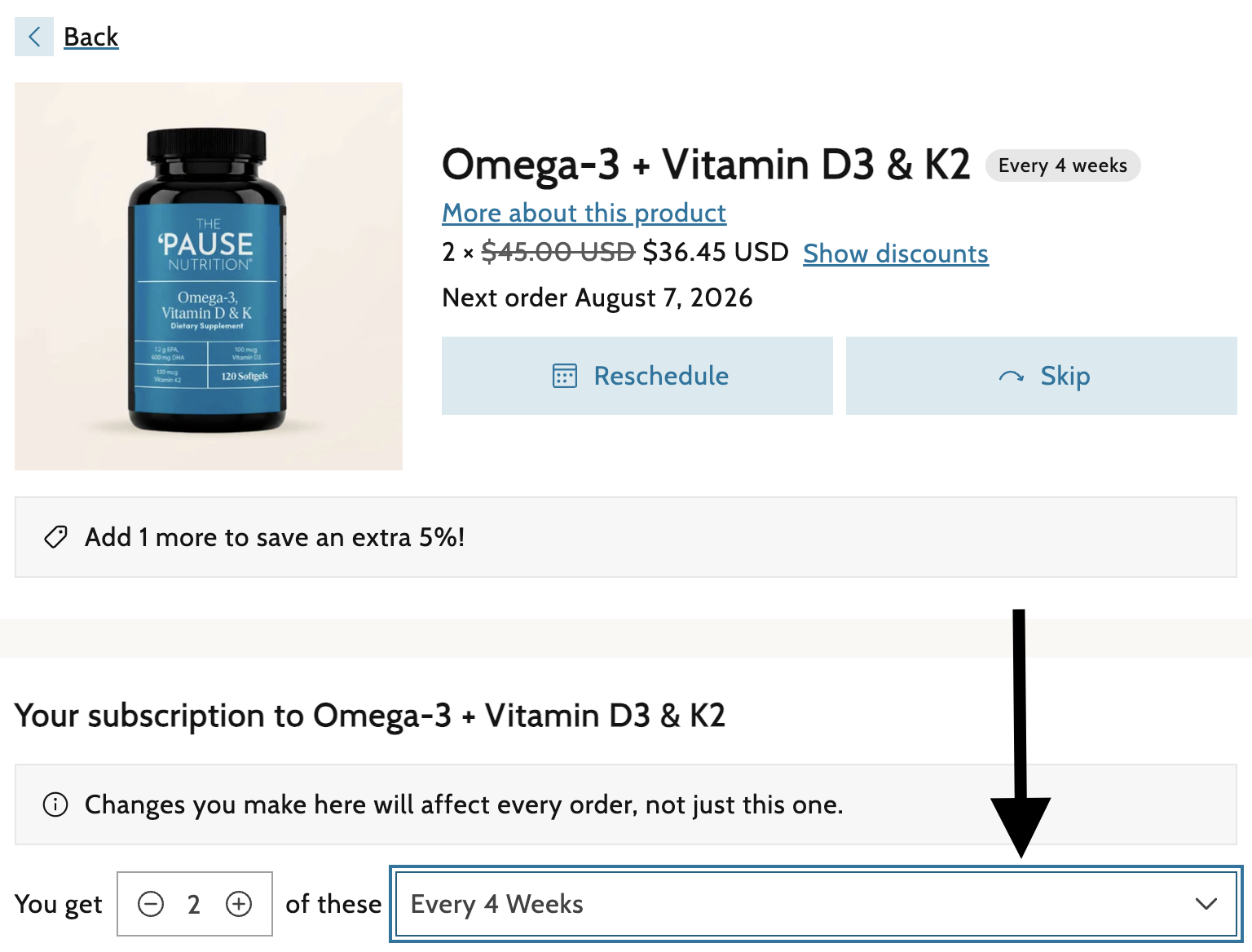
Select your preferred frequency and then click "Save Changes".
If you need assistance, please contact our Customer Service Team.