
How do I skip a product subscription / autoship order?Updated 2 months ago
We are happy to assist with instructions on how to skip your next order(s).
You can easily delay any product or the entire order from the Upcoming Order Notification email or SMS. If you didn't receive the email/SMS or can't find it, please follow the steps below:
1. Log in to your account using this link
2. Click on "Manage Subscriptions" on the left side of the screen
3. On the next page, select "Upcoming Orders"
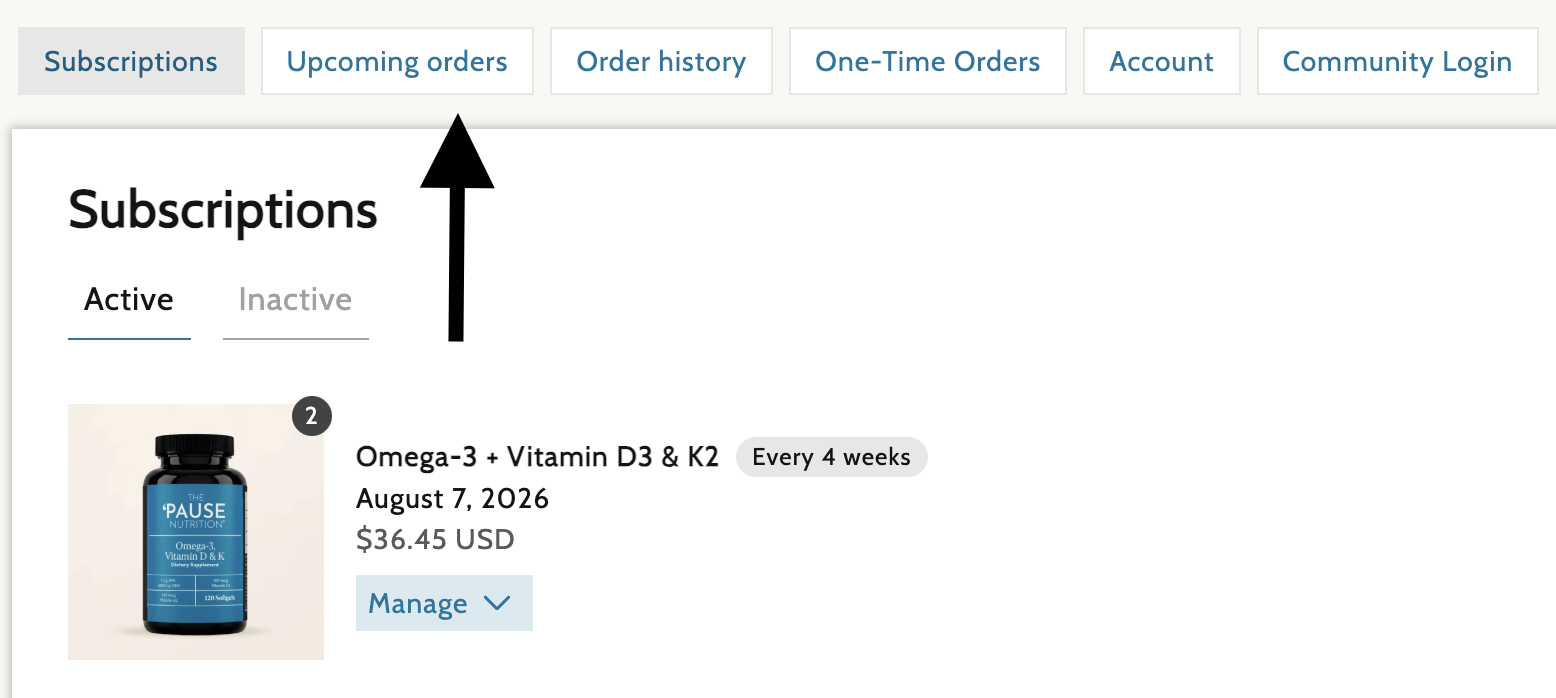 4. You will then see the details for the next order to be processed
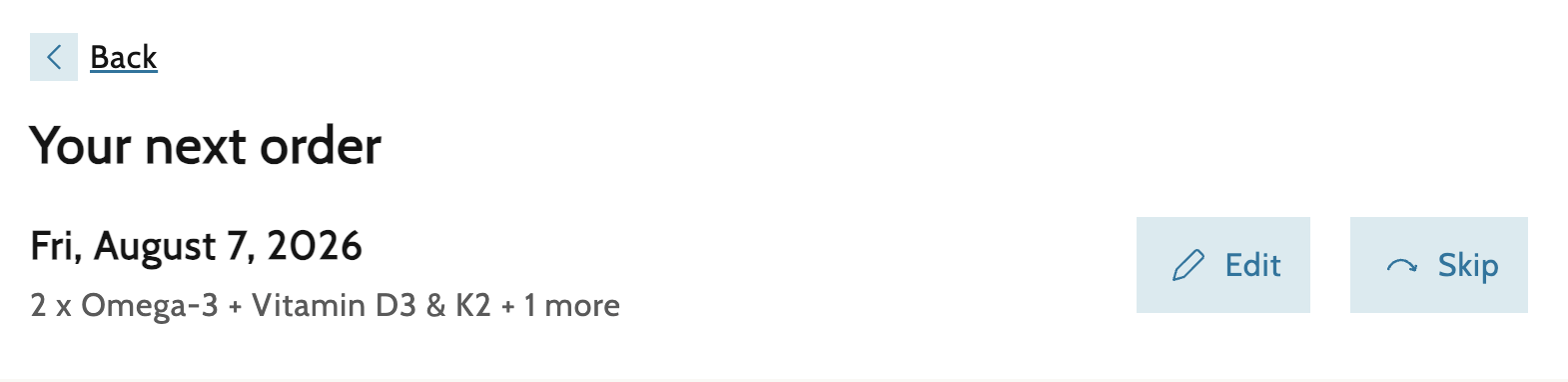 5. Select "Skip" to skip the next delivery for all items in the order and resume at the next scheduled delivery date
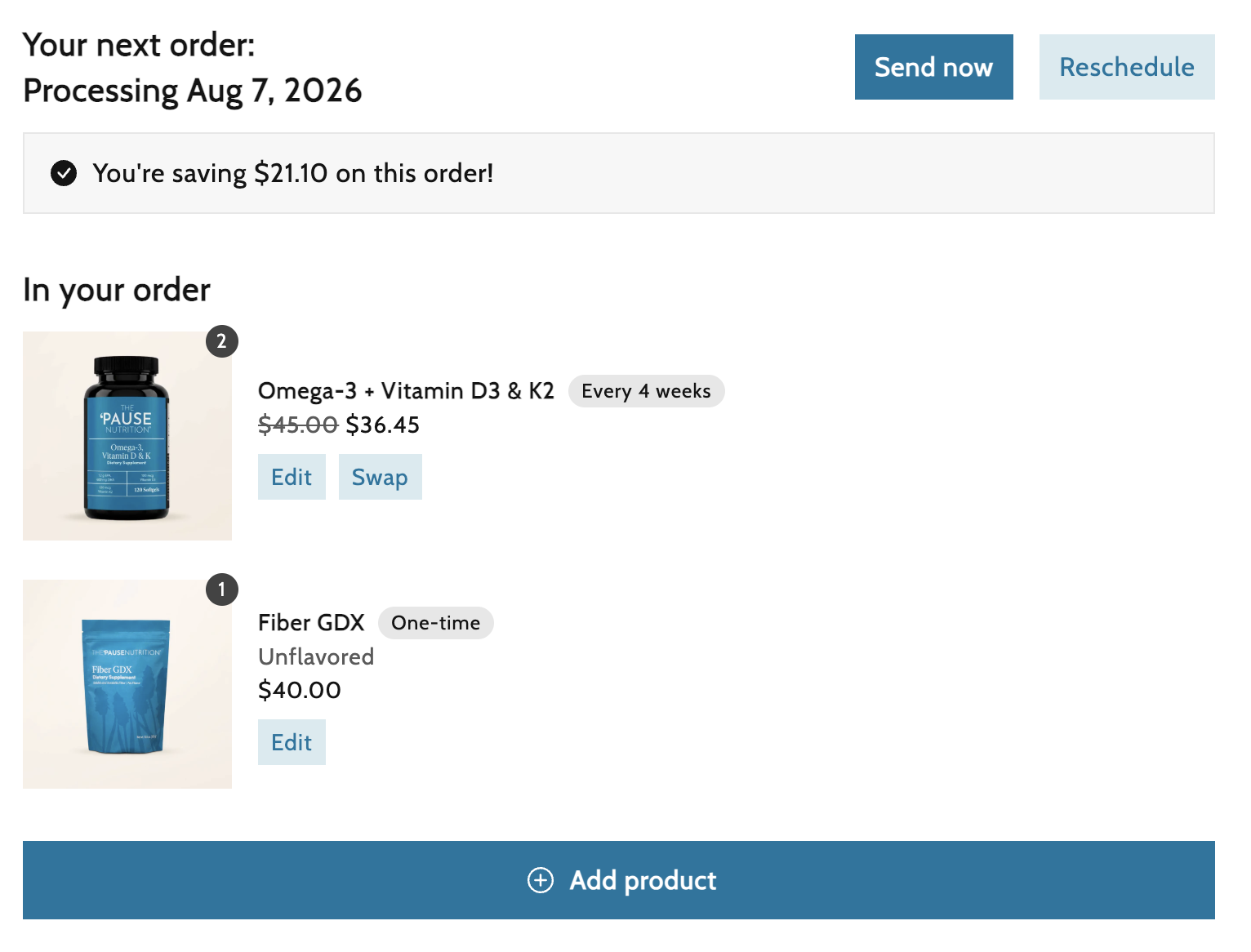
6. To manage individual items in the order, select "Edit". You can then select "Edit" next to the product you would like to change/remove/skip/cancel
2. Click on "Manage Subscriptions" on the left side of the screen
3. On the next page, select "Upcoming Orders"
4. You will then see the details for the next order to be processed5. Select "Skip" to skip the next delivery for all items in the order and resume at the next scheduled delivery date6. To manage individual items in the order, select "Edit". You can then select "Edit" next to the product you would like to change/remove/skip/cancel
If you need any assistance, please contact our Customer Service Team, and we will be happy to help!