
How do I cancel my product subscription / autoship?Updated 2 months ago
To cancel a subscription, please see below:
1. Log in to your account using this link
2. Click on "Manage Subscriptions" on the left of the screen
3. You will see all products you are currently subscribed to
4. If you go to the product you would like to cancel/reschedule/skip, click "Manage"
See the screenshot below (this is not your portal/subscriptions, just an example):
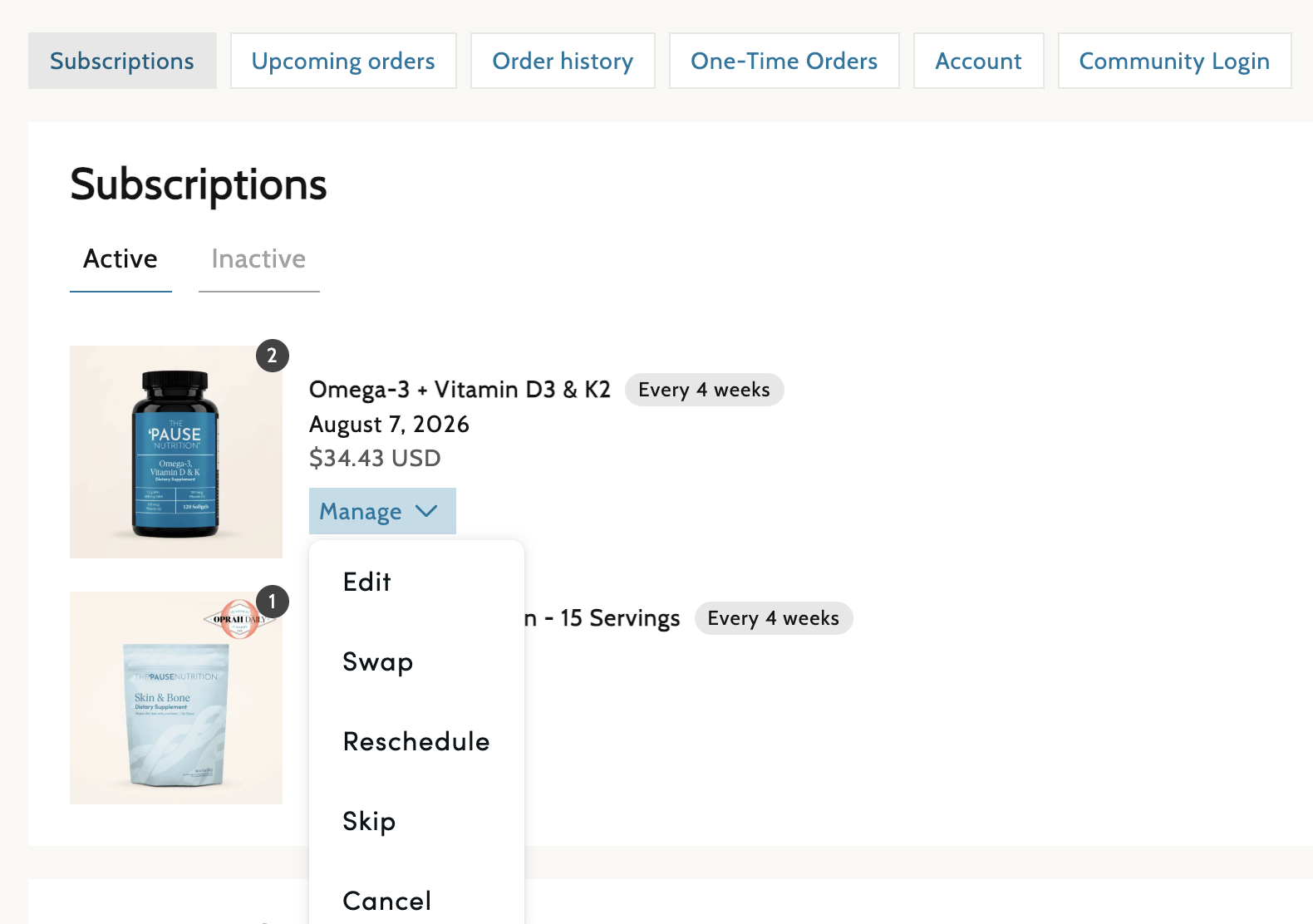
6. Click "Cancel" to cancel the product. If you select this, you will be able to cancel the subscription, and it will now be found under your "Inactive Subscriptions" and will be removed from future orders
7. To swap products, select "Swap" and make a quick product swap
8. Select "Edit" to change the quantity and frequency. If you change frequency or quantity, please make sure to click "Save Changes" at the bottom
2. Click on "Manage Subscriptions" on the left of the screen
3. You will see all products you are currently subscribed to
4. If you go to the product you would like to cancel/reschedule/skip, click "Manage"
See the screenshot below (this is not your portal/subscriptions, just an example):
6. Click "Cancel" to cancel the product. If you select this, you will be able to cancel the subscription, and it will now be found under your "Inactive Subscriptions" and will be removed from future orders
7. To swap products, select "Swap" and make a quick product swap
8. Select "Edit" to change the quantity and frequency. If you change frequency or quantity, please make sure to click "Save Changes" at the bottom
Note: Verify updated items, the next order date, and the frequency at which you would like to receive the order, as well as the shipping address.
You will need to complete this process for each product you would like to cancel.
If you have any difficulty, please contact our Customer Service team, who will be happy to assist you.